

HighLightItem
modMinecraft mod that highlights inventory items similar to the one hovered over.
byelmital
48K
45
Compatibility
Supported Loaders
fabricneoforgequilt
Game Versions
Gallery
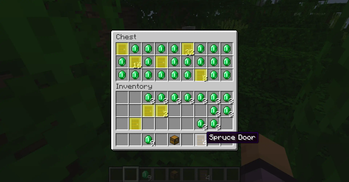

New Config screen (v3.0.0+)
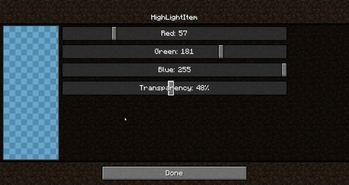
Color picker
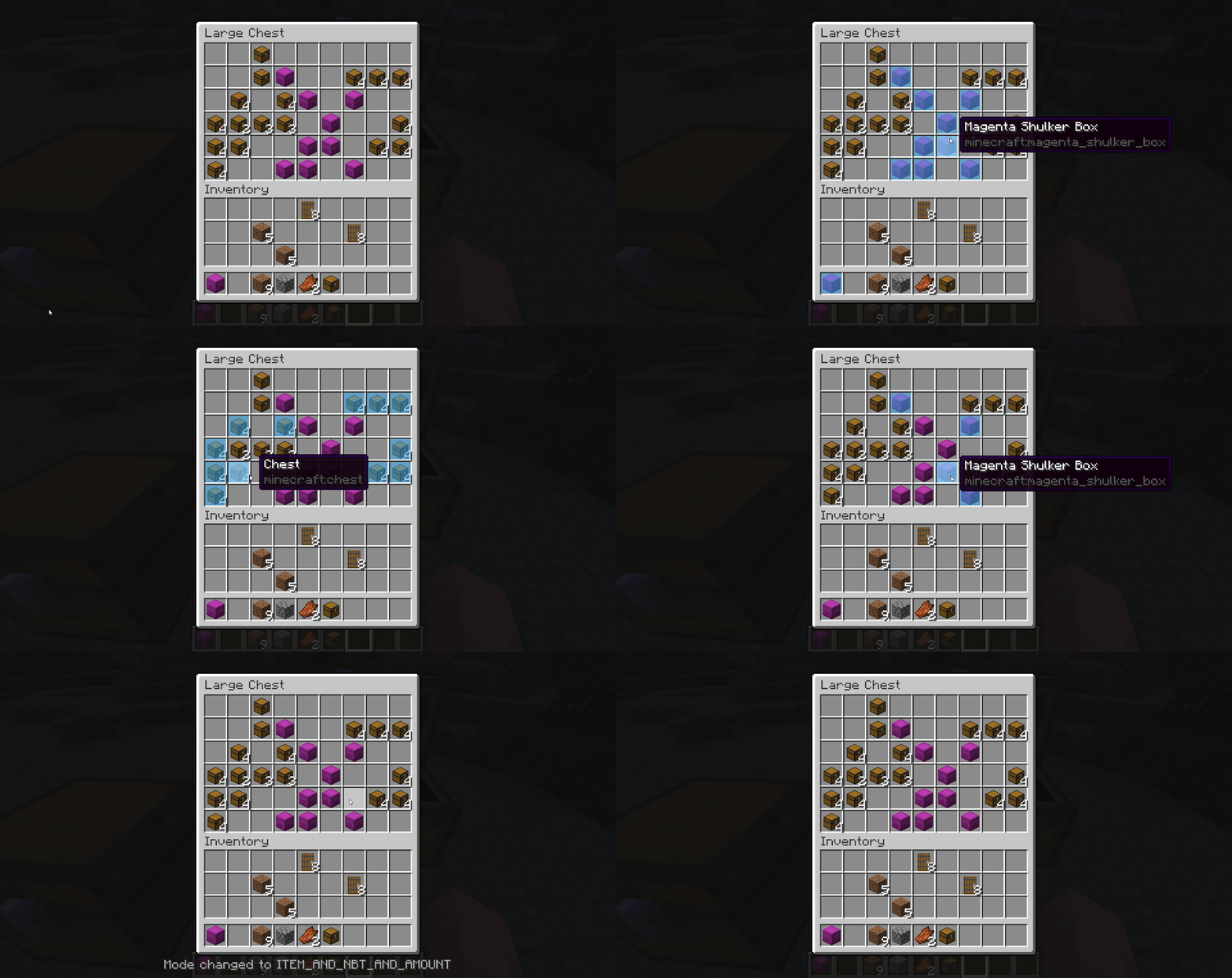
Comparaison modes
Minecraft mod that highlights inventory items similar to the one hovered over.
New Config screen (v3.0.0+)
Color picker
Comparaison modes
Minecraft mod that highlights inventory items similar to the one hovered over.
You can use differents comparaison modes :
For version 1.1.0+ three new comparaison modes exists :
Custom colors : You can choose between 16.777.216 colors to tune the Highlighting either using the command or via the menu where you can use sliders and a preview to make it easier. The format used is the RGBA
Opacity : With the custom colors using the RGBA format it means you can tweak the transparency which is the A(for alpha) value you choose.
Keybinds : You can add keybinds to toggle the highlighting, changing mode comparaison, color the hovered element or open the color picker menu.
Language : The mod is available in English, French, German, Russian, Ukrainian and Chinese Simplified.
Config menu (v2.0.0+):
The old color picker is now a true configuration menu where you can change all the configs directly. To open it you can use the command /highlightitem menu or the keybind or if you use ModMenu directly from the Mods button.
Notifications (v2.0.0+): You can choose a preferred mod notification sending mode when you have no inventory opened :
Highlighting limitations (v3.0.0+) You can limit the Highlighting in some areas of the screens if you want there are 5 types :
Hovered Item colored (v3.0.0+) You can choose to color the hovered slot with the Minecraft vanilla highlighting or even highlight it even if it is empty rather than just choose to color or not. You have 5 modes to color or not the hovered slot :
NeoForge support (v3.0.0+) The mod now supports NeoForge only on the most recents versions superior to v3.0.0
If you prefer commands than keybinds and the menu there are three commands available to manage the mod :
/highlightitem toggle -> activate/deactivate the mod
/highlightitem menu -> open the config menu (only for v2.0.0+)
/highlightitem colorHover <true/false>-> when set to true the slot of the item you are pointing with your cursor will be colored too when set to false it still will be highlight but with the vanilla highlighting
/highlightitem color <COLOR> -> choose the color in a list of default colors the mod will use to highlight the items
/highlightitem color CUSTOM <RGBA value> -> choose a custom color using the RGBA format
Want to support me and other creators by the same time? Disable your ad blocker while you are on Modrinth it's free and the website use ethical and non-invasive ads ;)